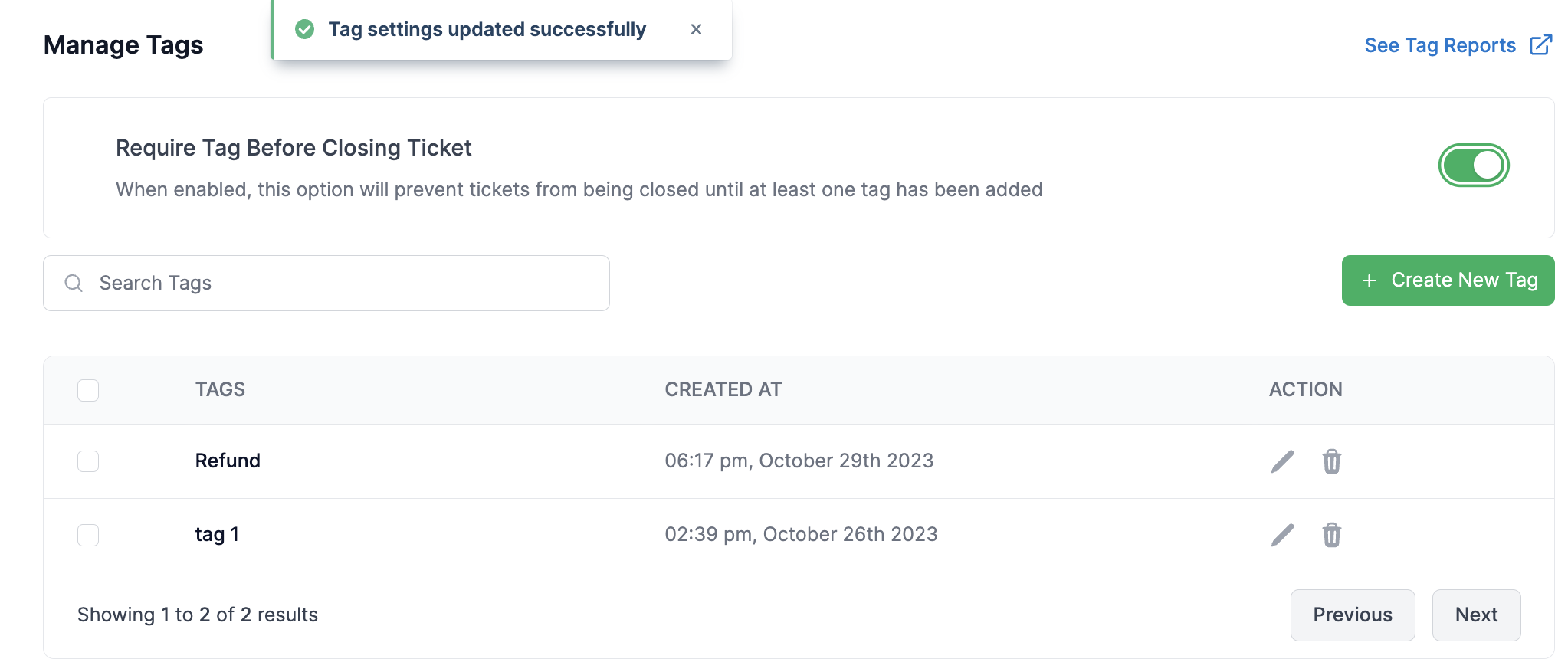
# Tag Settings

{% hint style="info" %}
You need to be an Admin on MyAlice-

* To Add, Edit and Delete Tags&#x20;
* To make Tag Mandatory to Close Tickets
  {% endhint %}

## Create Tags

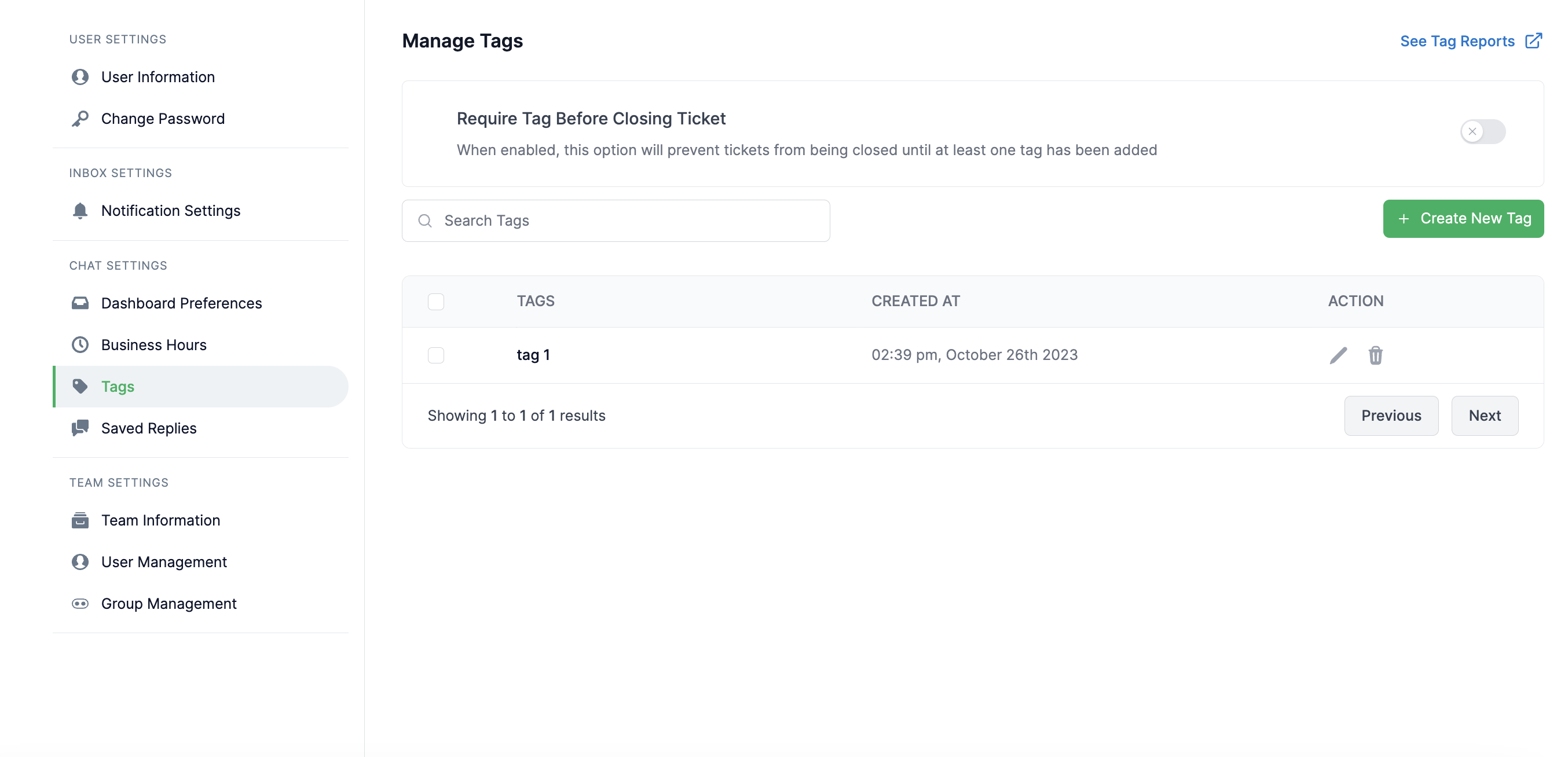
1. Go to Settings and click Tags<br>

   <figure><img src="https://content.gitbook.com/content/ZlunlE4rHhMzJq9M0MQx/blobs/PHLMiQbGrIF2bRUuZycv/image.png" alt=""><figcaption><p>Tag Settings</p></figcaption></figure>
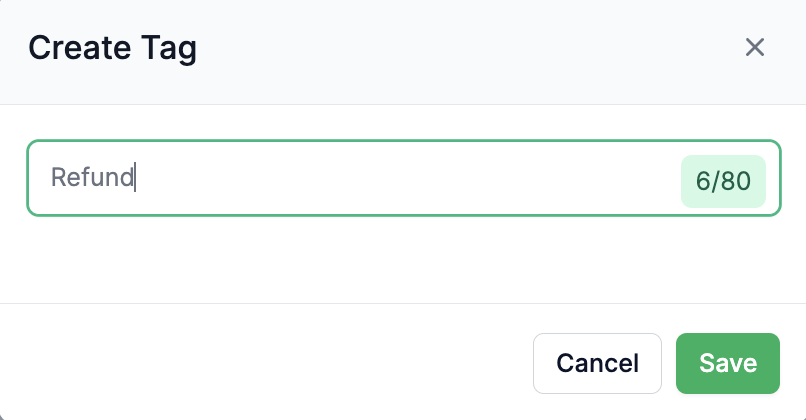
2. Click **Create New Tag,** give the tag name and press **Save**<br>

   <figure><img src="https://content.gitbook.com/content/ZlunlE4rHhMzJq9M0MQx/blobs/osU2APw6WoiEchIN76mr/image.png" alt=""><figcaption></figcaption></figure>
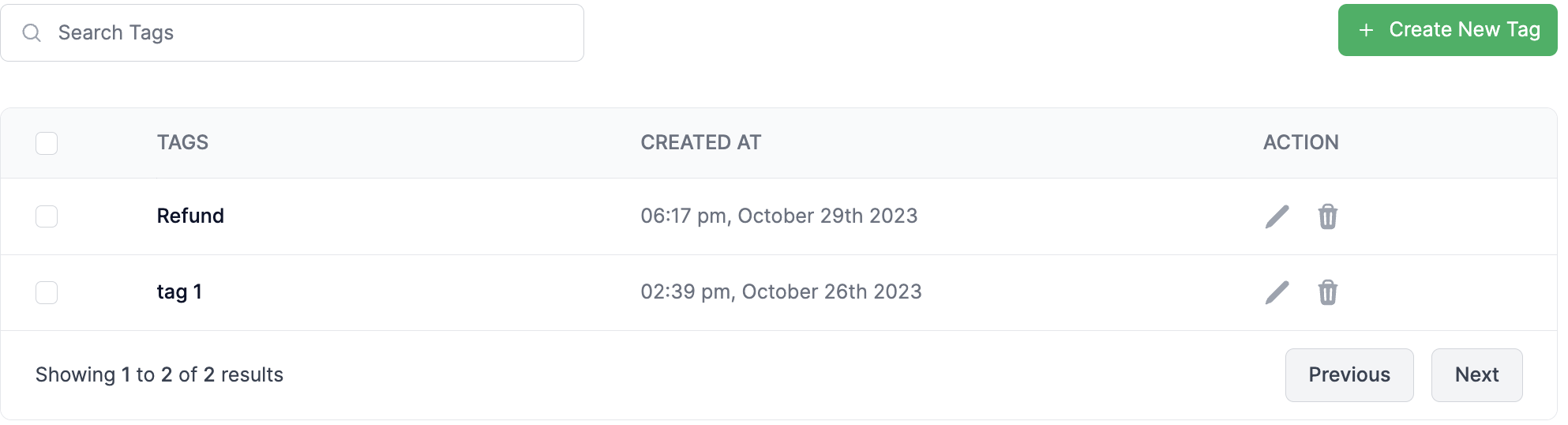
3. Your Tag will be created. <br>

   <figure><img src="https://content.gitbook.com/content/ZlunlE4rHhMzJq9M0MQx/blobs/aguJBQP2hHfuGhxhC4DY/image.png" alt=""><figcaption></figcaption></figure>

## Tag Mandatory to close ticket:

If you want to make Tag mandatory to close tickets you need to Enable the option from Settings.&#x20;

\
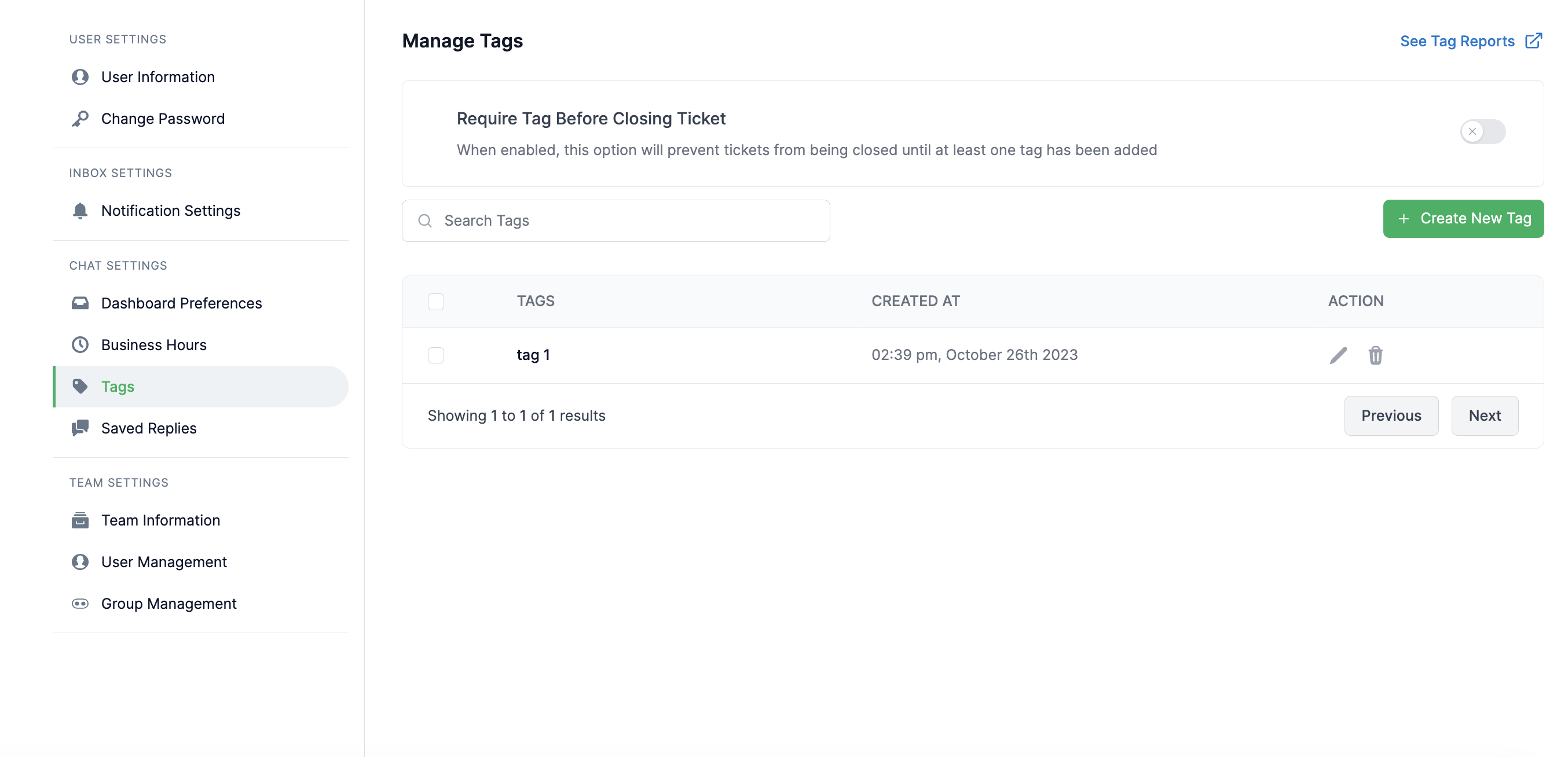
&#x20;1\. Go to **Settings** and Click **Tags**

<figure><img src="https://content.gitbook.com/content/ZlunlE4rHhMzJq9M0MQx/blobs/Sm6Q5J9wUx9vYjj0aWi0/image.png" alt=""><figcaption></figcaption></figure>

2. Enable **Require Tag Before Closing Ticket**<br>

   <figure><img src="https://content.gitbook.com/content/ZlunlE4rHhMzJq9M0MQx/blobs/NO38CqD7mbRRVpC3FwhK/image.png" alt=""><figcaption></figcaption></figure>

3. Now if you go to your inbox, you will see that the **Close Chat** button is disabled for tickets which have not tags assigned.

<figure><img src="https://content.gitbook.com/content/ZlunlE4rHhMzJq9M0MQx/blobs/xS0oE9zc6Nh11ckOBcUb/image.png" alt=""><figcaption></figcaption></figure>

4. Press the Tag button, add at least one Tag to close the ticket.&#x20;

<figure><img src="https://content.gitbook.com/content/ZlunlE4rHhMzJq9M0MQx/blobs/nJscnGkvWzL9suhyvpHs/image.png" alt=""><figcaption></figcaption></figure>